
From AI Experiments to Governed Enterprise AI
The challenge is not building one AI agent. It is scaling AI across the organisation without losing control. STAIR is a self-hosted platform for building, integrating, governing and scaling AI agents across your organisation.
- Secure
- Reusable
- Traceable
- Measurable
- Controllable
- Scalable
AI pilots prove what’s possible. STAIR makes it operational.
Isolated experiments without a unified platform can break enterprise AI adoption. STAIR solves the operational, governance, and integration challenges that prevent organizations from scaling AI safely.
Bring isolated AI projects onto one platform
STAIR brings enterprise AI into a common environment with a consistent operating model.
One managed foundation for the AI estate.
Build new agents from existing components
Reusable models, toolsets, skills and existing agents shorten the path from an idea to a working agent.
Build once. Reuse across teams and initiatives.
Know what exists and who controls it
Centralized management turns models, agents, skills, toolsets and other resources into accountable enterprise assets.
A visible, accountable AI estate.
Give agents access without giving up control
STAIR controls who can run an agent and which models, tools, systems and resources it can use.
Explicit access. Defined boundaries. Controlled execution.
Understand every execution
Every agent run is logged and traceable, giving teams a clear record of what happened at each step.
Know what happened, not just what the agent returned.
Control AI usage and cost
STAIR gives visibility into consumption across models, agents, toolsets, applications and users and applies usage limits.
Measure adoption and manage the cost of AI at scale.
Everything an AI agent needs.
One place to govern it
STAIR brings together agent runtime, reusable components, and operational controls in one unified system.
Compose agents from governed enterprise components
STAIR turns the parts of an AI solution into managed, reusable assets. Teams can compose new agents from capabilities that are already configured, approved and available without rebuilding the foundation each time.
Agents
Your AI workers
Give an agent a role, instructions and hard boundaries, attach toolsets, skills and sub-agents. Where human oversight is required, agent execution can pause for approvals and escalate to a person.
- Agent builder
- No-code
- Multi-agent systems
- Human-in-the-Loop
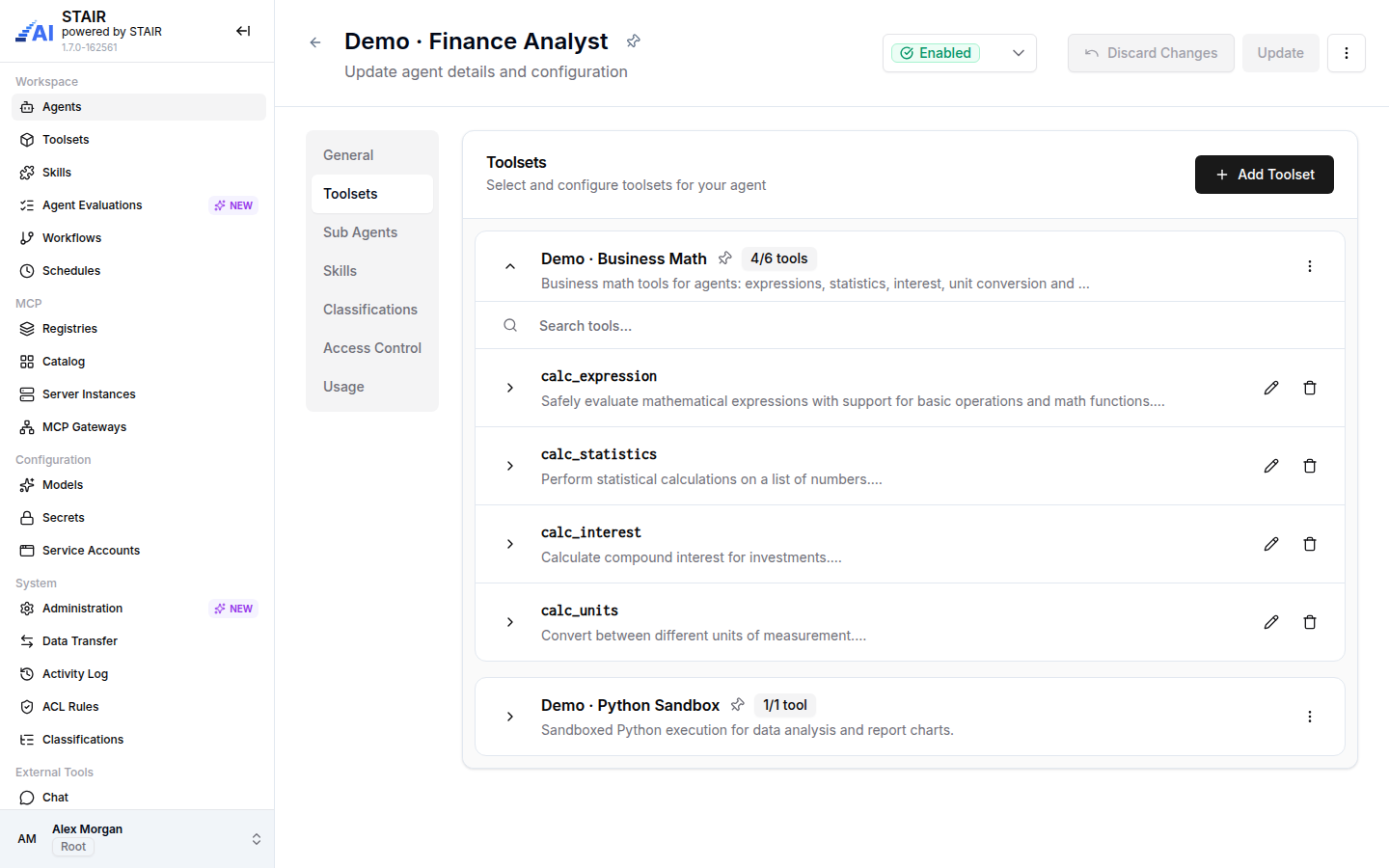
Toolsets
Give agents controlled access
Connect agents to enterprise applications and services through reusable, authenticated toolsets. Agents can act on behalf of the user when invoking MCP tools in corporate systems.
- MCP endpoint & auth
- Per-tool configuration
- Prebuilt MCP servers
- Custom tools
- OBO
Models
Choose the model for the job
Register hosted or self-hosted models and expose approved models without leaking provider credentials. Track token consumption and set usage limits per model.
- Model providers
- Availability checks
- Token usage metrics
- Usage limits
Skills
Package expertise for reuse
Capture procedural knowledge, best practices and specialised instructions as reusable skills. Share expertise across teams and agents.
- SKILL.md + source files
- ZIP archive
- Classified & searchable
- Reusable across agents
Knowledge
Ground agents in corporate knowledge
Use enterprise documents and retrieved context so answers are based on information your organisation trusts. RAG-based approach with source traceability.
- RAG
- Documents
- Source traceability
- Corporate knowledge sources
Workflows
Turn agents into business processes
Combine agents and tools into repeatable workflows with triggers, branching, validation and full step-level history for audit and debugging.
- Workflow Builder
- Triggers & branching
- Step-level history
- Validation before publish
Schedules
Automate work on your terms
Run workflows automatically on a defined schedule. Control when they run, pause or resume them, and monitor their execution status.
- Cron expressions
- Next-run preview
- Enable / pause
- Execution monitoring
Evaluations
Test agents before they scale
Test agent behaviour against defined evaluation criteria before wider adoption, compare results and use evidence to improve reliability.
- Evaluation criteria
- Repeatable tests
- Evidence-based improvement
- Agent quality metrics
Guardrails
Keep agent behaviour within bounds
Define controls around how agents operate, what they are allowed to access and which actions require explicit boundaries. Enforce policies during execution.
- Execution controls
- Policy enforcement
- PII declaration & masking
- Runtime protection
Security
Protect agents, data, and access
Centralized access control with RBAC, granular CRUD permissions, and dedicated execution rights for every agent and artifact.
- RBAC
- Isolated execution
- Agent boundaries
- Secrets management
Gateways
Expose AI capabilities safely
Unified gateway provides controlled access to agents, models and tools from outside the platform, with logging, guardrails and usage limits.
- Agent Gateway
- LLM Gateway
- MCP Gateway
- Connected apps
- Usage limits
- Access control
Logs & Metrics
Understand every execution
Full logging of user and agent actions, end-to-end traceability for every run, and usage analytics to investigate incidents and improve quality.
- Activity Log
- Execution traces
- Usage analytics
- Cost metrics & limits
Connect AI to the systems your business already uses
Public and internal MCP servers can expand what agents can do. STAIR puts a registry, review step and deployment boundary between those capabilities and the agents that use them.
Registries
Connect catalog sources. Static registries sync on their own schedule; custom sources stay fully user-managed and never phone home.
Catalog
Browse the servers exposed by your registries, inspect the tools they publish and discover reusable capabilities.
Server instances
Deploy a catalog entry into your own cluster, wire in secrets and expose the endpoint through a managed toolset.
Toolsets
Package approved MCP capabilities into reusable toolsets that agents can consume according to their permissions.
postgres-mcp
Official registry · 14 tools
4.9128kjira-mcp
Official registry · 22 tools
4.796kiba-sap-connector
IBA private · 9 tools
4.83.1kconfluence-mcp
Official registry · 11 tools
4.574kgithub-mcp
Official registry · 18 tools
4.8112kslack-mcp
Official registry · 8 tools
4.658k
Illustrative data — your catalog shows only the registries you connect
An end-to-end operating model for enterprise AI
Configure the foundation. Compose reusable capabilities. Govern them. Evaluate behaviour. Deploy into the work. Trace and improve.
- 1
Configure
Approved models, toolsets, skills, knowledge, policies and secrets.
- 2
Govern
Apply RBAC, permissions, guardrails and execution boundaries.
- 3
Compose
Combine reusable components into agents and workflows.
- 4
Evaluate
Test agent behaviour against defined criteria before wider adoption.
- 5
Deploy
Expose agents through applications, APIs, assistants, chat or scheduled workflows.
- 6
Trace & improve
Monitor executions, tools, models, tokens, cost, latency and evaluation results.
See STAIR against your own use case
Forty-five minutes with an engineer who has deployed the platform, not a scripted product tour. Tell us what you want an agent to do and we will show whether STAIR is the right shape for it.
- A walkthrough of the console: agents, toolsets, skills, workflows
- How your MCP registries and existing tools would be connected
- Deployment options, sizing and the licence model for your environment
Prefer to read first? Start with the quickstart