
Documentation menu
What is STAIR
Read the page as Markdown for LLMsSTAIR is a platform for building, running and governing AI agents, with a console for configuration and STAIR Chat for end users.
How STAIR works
In STAIR you describe an AI agent once, in the STAIR Console, and then use it from several places: STAIR Chat, an OpenAI-compatible API, workflows, schedules, evaluations and MCP clients. The agent itself holds no credentials and runs no infrastructure: it refers to other STAIR records, and each record has its own owner and access list.
A typical agent combines:
- a Model that answers, created from a Model Provider;
- Agent Purpose, Boundaries and Instructions that set its behavior;
- Toolsets: connections to MCP servers, with the tools the agent may call;
- Skills: instruction packages (
SKILL.mdplus files) the agent can load; - Sub-agents: other agents it can delegate work to;
- optional PII masking, so the LLM provider sees placeholders instead of personal data.
When someone sends a message, STAIR runs the agent in its own session. The agent plans, calls tools through STAIR, delegates to sub-agents and streams the answer back. The agent's Usage tab shows runs, LLM calls, tokens and estimated cost.
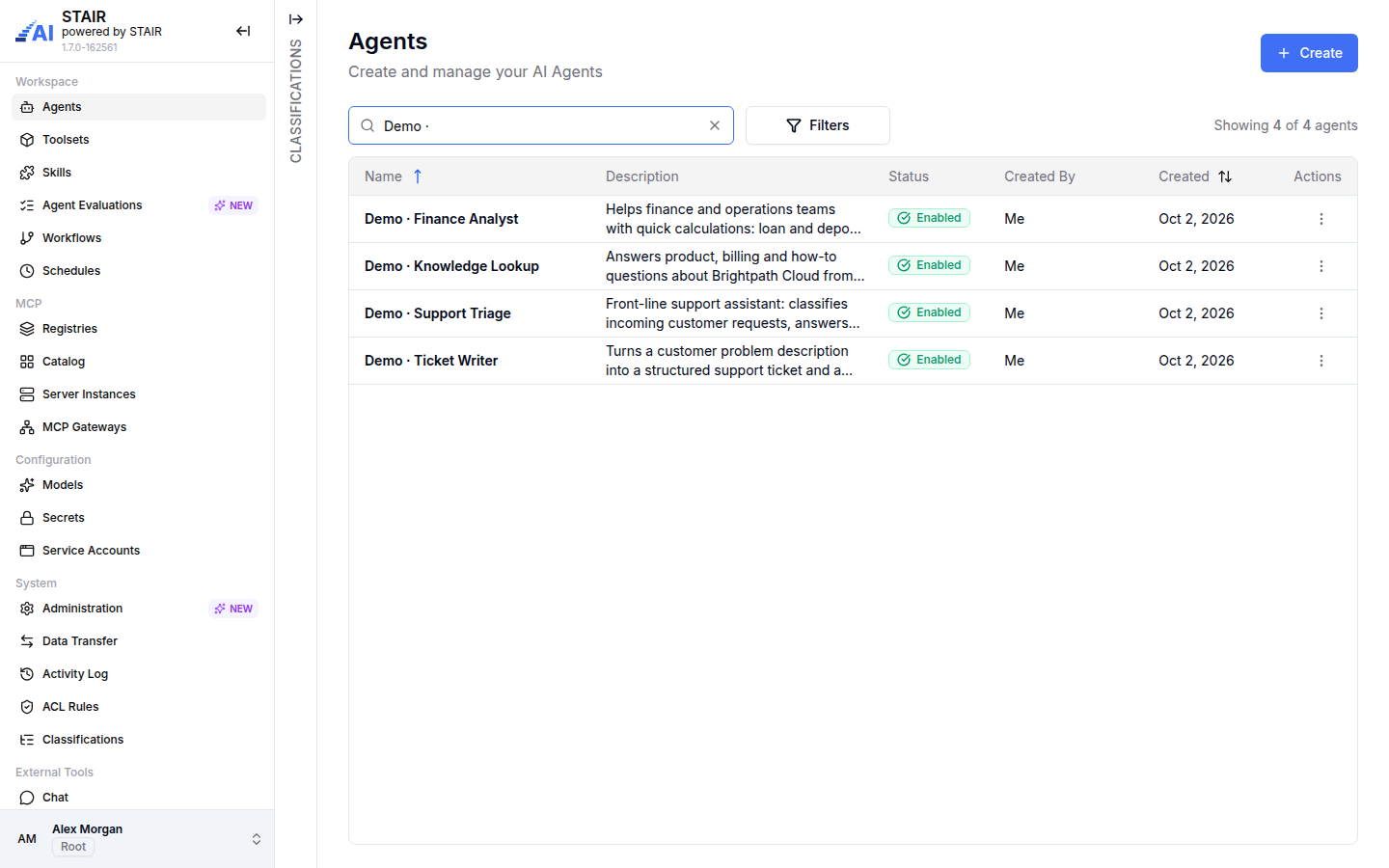
STAIR building blocks
| Building block | What it does | Where in STAIR |
|---|---|---|
| Agents | Configured AI assistants, called by name | Sidebar Workspace → Agents |
| Toolsets and MCP tools | Connect an MCP server and choose the tools agents may use | Workspace → Toolsets |
| Skills | Reusable instruction packages that agents load | Workspace → Skills |
| Agent Evaluations | Tests that send scripted requests to an agent and grade the answers | Workspace → Agent Evaluations |
| Workflows | Graphs of agent, condition, notification and action nodes | Workspace → Workflows |
| Schedules | Run a workflow or an agent on a cron schedule | Workspace → Schedules |
| MCP catalog and instances | Browse MCP servers from registries, deploy them as server instances | MCP → Registries, Catalog, Server Instances |
| MCP Gateways | One MCP endpoint that exposes chosen tools and agents to external MCP clients | MCP → MCP Gateways |
| Models and providers | LLM connections and the models agents use, with pricing | Configuration → Models |
| Secrets | Stored credentials, such as LLM provider API keys, that model providers reference | Configuration → Secrets |
| Service Accounts | Non-human identities with API keys for integrations | Configuration → Service Accounts |
| Access control and audit | Per-record ACL, ACL overview, Activity Log, classifications | System → ACL Rules, Activity Log, Classifications |
| STAIR Chat | The end-user app for talking to agents | External Tools → Chat |
| Knowledge | The document knowledge-base app | External Tools → Knowledge |
For the full object model and how these records relate, see STAIR Concepts.
Who uses STAIR Console and STAIR Chat
STAIR has two main apps that share one sign-in (single sign-on):
- STAIR Console is for people who build and run agents: agent authors, administrators and reviewers. What each person sees in the sidebar depends on their role (Root, Admin, User or Classifier) and on the access lists of individual records. See STAIR Console Navigation.
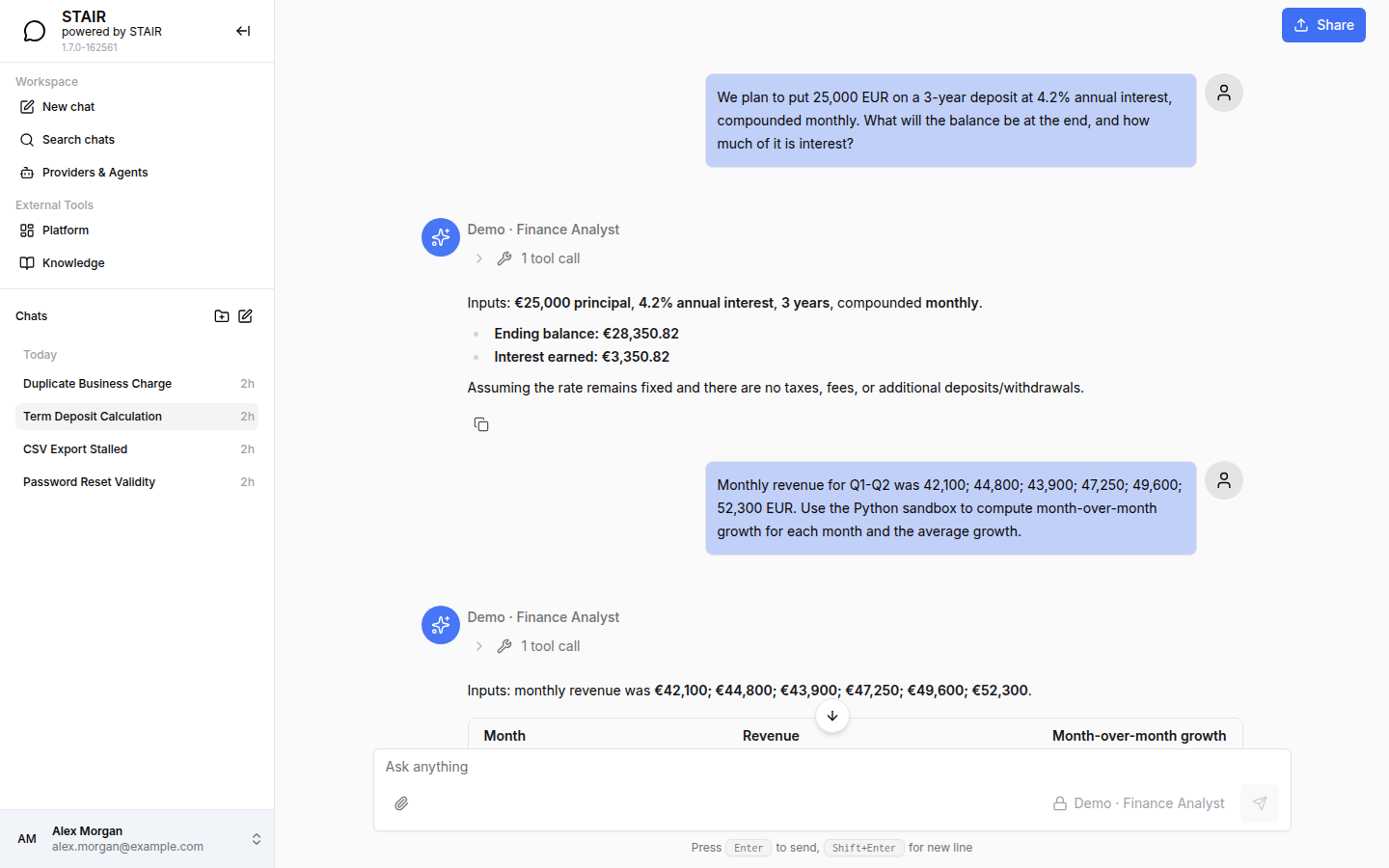
- STAIR Chat is for everyone who talks to agents. You pick an agent in the message composer, attach files, organize chats in folders and share a conversation by link. The agent picker lists the agents you have access to. See STAIR Chat.
Applications call agents through the OpenAI-Compatible API, where the model field is the agent name. They authenticate with a personal API key (aip_sk_…) or a service-account key.
How STAIR protects data
- Access control. Every agent, toolset, skill, workflow, model and gateway has an Owner and an access list with Read, Write, Manage and Execute permissions.
- Credentials stay in STAIR. LLM provider API keys are stored as Secrets and referenced by name. A toolset can pass each user's own identity to an MCP server (per-user token header or OAuth 2.1) instead of a shared credential.
- PII masking. An agent that has Handles personal data turned on masks the selected PII entity types before the request reaches the LLM. The LLM provider sees placeholders such as
<PERSON_1>, while tools and the user see the real values. If the detector is unavailable, the request is not processed. - Audit. The Activity Log records who created, updated, deleted or changed the access of each record.
See Security and Access Control.
How to get started with STAIR
- Open the STAIR Console and sign in with your organization account. STAIR opens the Agents list.
- Look at an existing agent: click its name to open the view page with the General, Toolsets, Sub Agents and Skills tabs.
- Try the agent: in the sidebar, under External Tools, click Chat, pick the agent in the message composer and send a message.
- Create your own agent: on the Agents page, click Create, fill in Agent Name, Description and Model, then click Create. See AI Agents.
- Give the agent tools: add a toolset on the Toolsets tab of the agent. See Toolsets and MCP Tools.
- To call the agent from code, create a personal API key in the user menu under Connections → Tokens. See API Keys and Service Accounts.
Troubleshooting
A sidebar item from this guide is missing
Cause: the item is limited to a role you do not have. For example, Models and Secrets need the Admin role, Classifications needs the Classifier role. Fix: ask your STAIR administrator for the role. See STAIR Console Navigation for the full role matrix.
"You do not have the required roles" after sign-in
Cause: your account has no STAIR Console role. If you have access to STAIR Chat only, STAIR redirects you to STAIR Chat after a short countdown. Fix: use STAIR Chat, or ask your administrator for a console role.
An agent does not appear in STAIR Chat
Cause: you do not have access to the agent, or the agent is disabled. Fix: ask the agent's owner to add you or your team to Execute Access on the agent's Access Control tab, and check that the agent is Enabled.
FAQ
What is STAIR used for?
STAIR is used to build AI agents that use your models and tools, give people access to them through STAIR Chat and an API, and control who can use which agent, tool and model.
Does STAIR run its own LLM?
No. STAIR connects to LLM providers that you configure as Model Providers, such as Open AI, Azure OpenAI, Open Router, vLLM or Ollama. Agents use the models you register from those providers.
How do agents get tools in STAIR?
Through toolsets. A toolset connects one MCP server, either a server instance that STAIR deploys from the MCP Catalog or a server URL, and lists the tools that agents may call.
Can other applications call STAIR agents?
Yes. STAIR exposes agents through an OpenAI-compatible chat completions API, where the model field is the agent name. MCP clients can also call agents and tools through an MCP Gateway.
What is the difference between STAIR Console and STAIR Chat?
STAIR Console is where agents, tools, models and access are configured. STAIR Chat is where people talk to agents. Both use the same sign-in.