Documentation menu
User Preferences
Read the page as Markdown for LLMsUser Preferences is the STAIR page where each user picks the interface language (English, Русский or Deutsch) of the STAIR Console and STAIR Chat.
How User Preferences work in STAIR
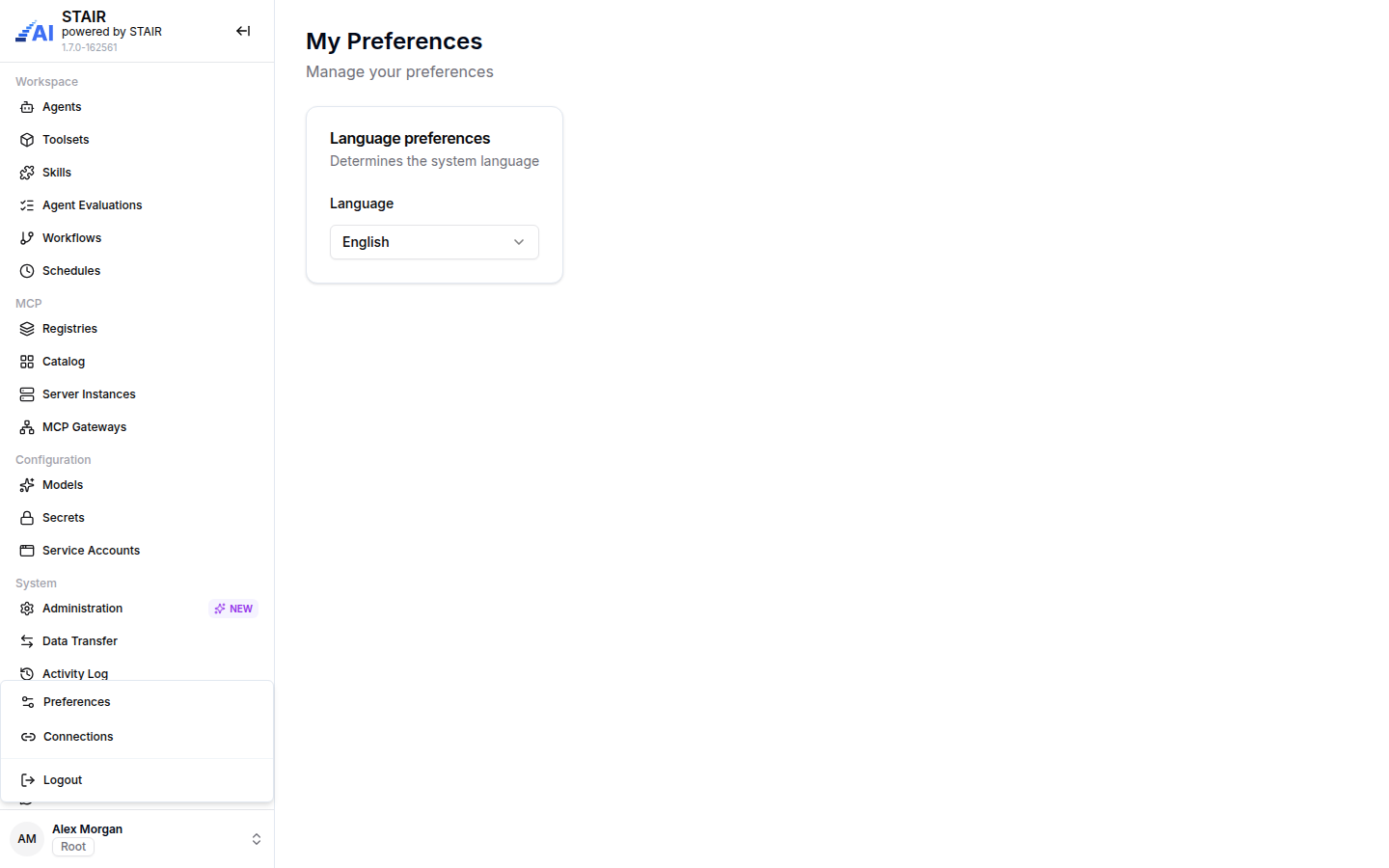
The page title is My Preferences. It opens from the user menu, not from the sidebar. In STAIR 1.7 it holds one setting, Language preferences, which sets the language of the interface.
- The change applies at once. There is no Save button.
- The choice is stored in your browser, so it stays after you log out and log in again on the same browser. On a new browser or device, STAIR starts in English until you pick another language.
- The STAIR Console and STAIR Chat share the setting in the same browser. STAIR Chat also has its own Preferences page in the profile menu with the same Language field.
- The setting changes labels, menus and messages. It does not change the language in which agents answer. An agent answers according to its instructions and the language of the request.
The same user menu also has Connections, where you manage personal API keys and toolset credentials. These are described on separate pages, see How to open Connections from the user menu.
How to change the interface language in STAIR
- At the bottom of the sidebar, click your name to open the user menu.
- Click Preferences. The My Preferences page opens.
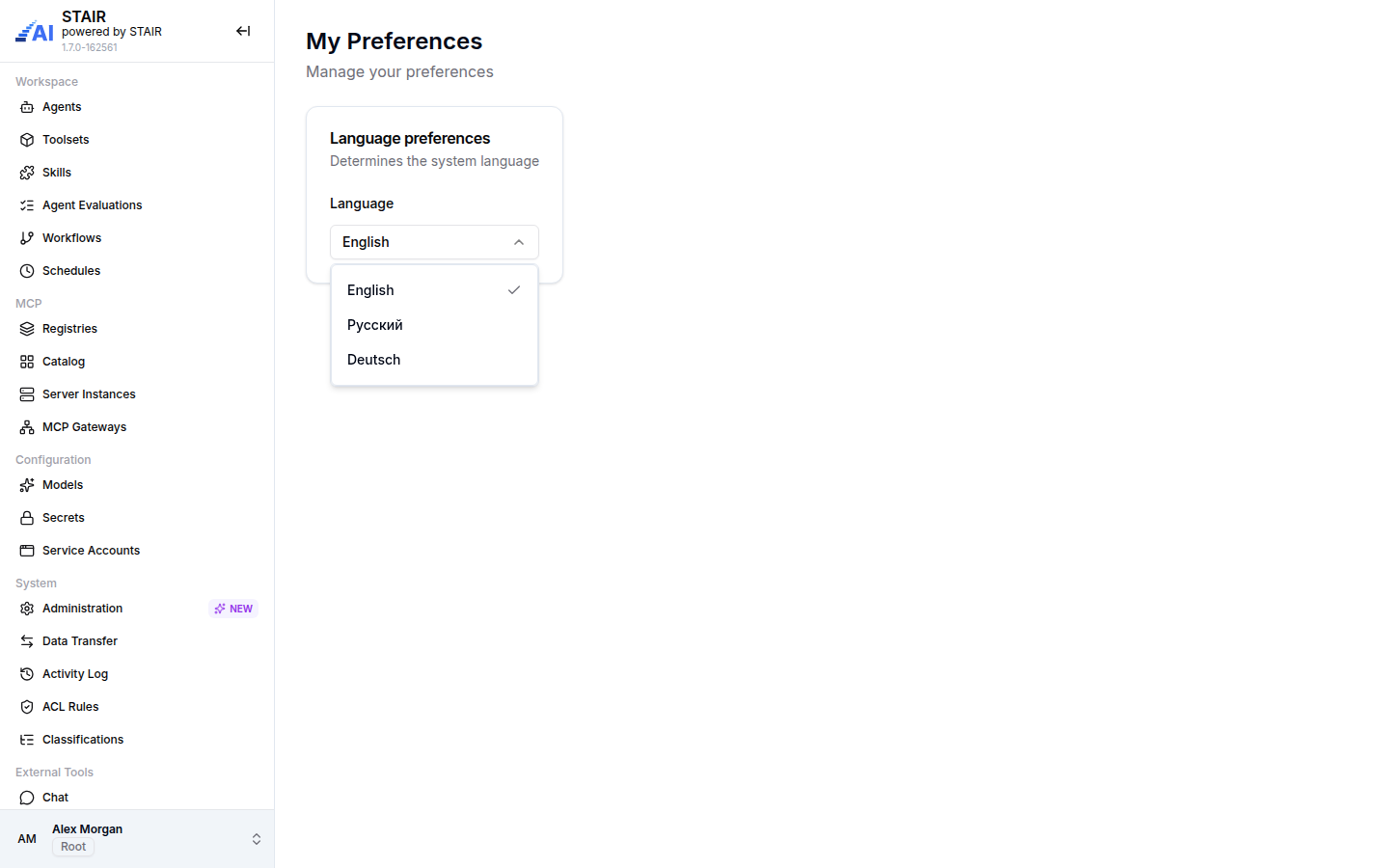
- Under Language preferences, open Language and pick English, Русский or Deutsch.
The interface switches to the new language right away.
To change the language in STAIR Chat, open the profile menu at the bottom of the STAIR Chat sidebar, click Preferences and pick the Language there.
How to open Connections from the user menu
- Open the user menu at the bottom of the sidebar.
- Click Connections. The page has two tabs:
- Tokens: your personal API keys (
aip_sk_…) for the STAIR API and MCP Gateways. See API Keys and Service Accounts. - Toolset: the toolsets that hold a credential of yours, such as an OAuth token you approved or a header value you entered. You can revoke them here. See Toolsets and MCP Tools.
- Tokens: your personal API keys (
Logout in the same menu ends your STAIR session.
User Preferences settings reference
| Field | Required | Description |
|---|---|---|
| Language | Yes | The interface language: English (default), Русский or Deutsch. |
Troubleshooting User Preferences
The language goes back to English
The setting is stored in the browser. Private windows, cleared cookies or a different browser start again in English. Pick the language again on My Preferences.
Some text stays in English after switching the language
Names and descriptions that users entered, such as agent names, instructions and chat titles, are not translated. Only the labels of the interface change.
I cannot find My Preferences in the sidebar
My Preferences is not a sidebar item. Open it from the user menu at the bottom of the sidebar: click your name, then Preferences.
FAQ
Which languages does the STAIR interface support?
The STAIR interface supports English, Русский (Russian) and Deutsch (German).
Does the language setting change the language of agent answers?
No. It changes only the interface. Agents answer according to their instructions and the language of the request.
Is the language saved for my account on every device?
No. The language is stored in the browser you use. Set it once on each browser or device.
Where do I create a personal API key?
Open the user menu, click Connections and use the Tokens tab. See API Keys and Service Accounts.