
Documentation menu
Demo Agents
Read the page as Markdown for LLMsSTAIR demo agents are sample agents that show STAIR features: the Platform magic wand starter agent and the Demo set used in this documentation.
How demo agents work in STAIR
Demo agents are ordinary STAIR agents. They have no special mode: you open them in Agents, chat with them in STAIR Chat and change them like any other agent. Two groups are described on this page:
- Starter agent. An installation made with the STAIR installer comes with a starter agent, Platform magic wand, and a few starter toolsets. The magic wand builds new agents from a plain-language description.
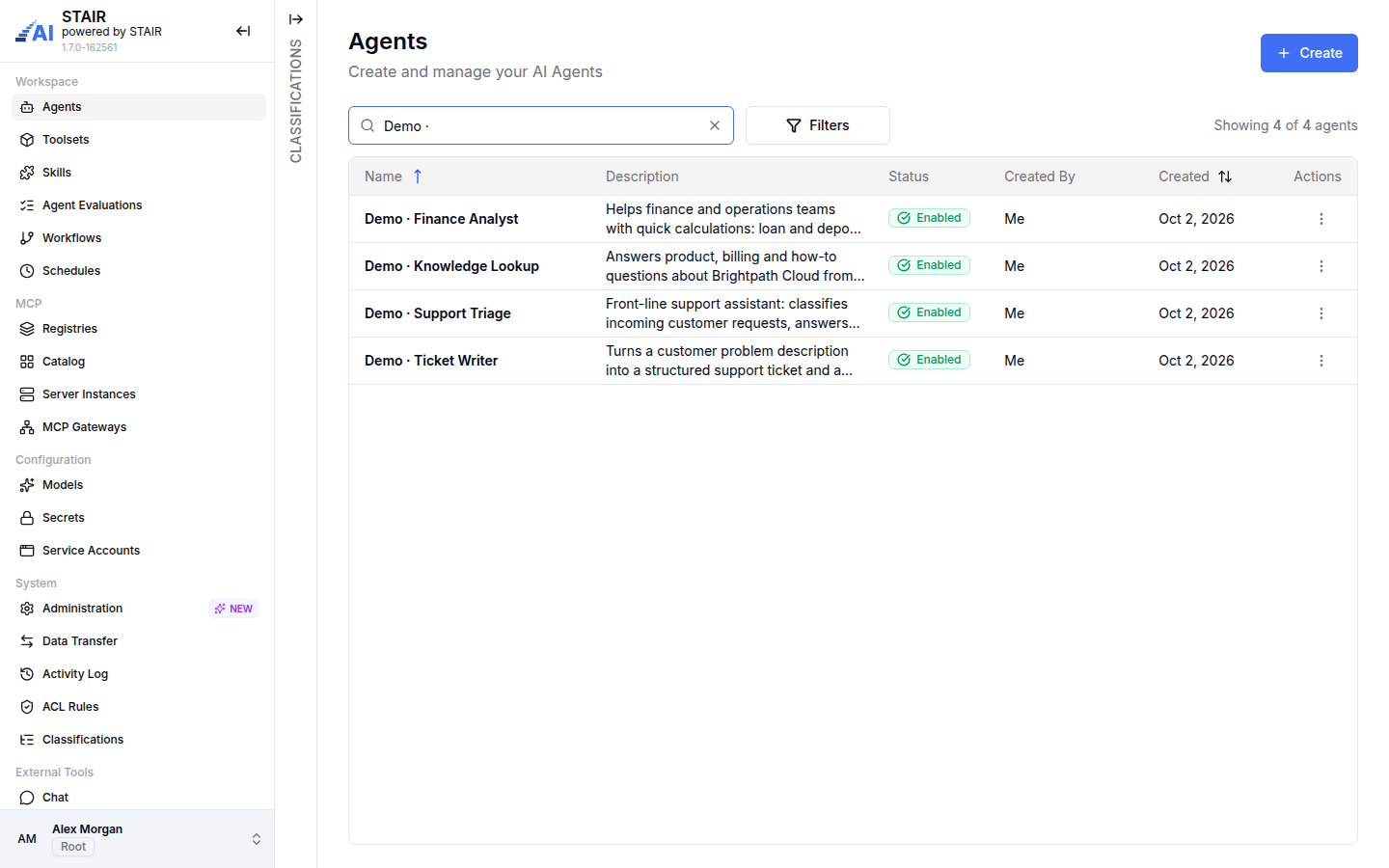
- Documentation demo set. The screenshots in this documentation use four agents with the prefix
Demo ·. They belong to a made-up software company, Brightpath Cloud, and show sub-agents, skills, toolsets and personal data masking. They are not installed with STAIR. Use them as patterns to build your own agents.
What an agent can do depends on its model, toolsets and the access rights of the user. The examples below describe the configuration, not a guaranteed answer.
Platform magic wand starter agent
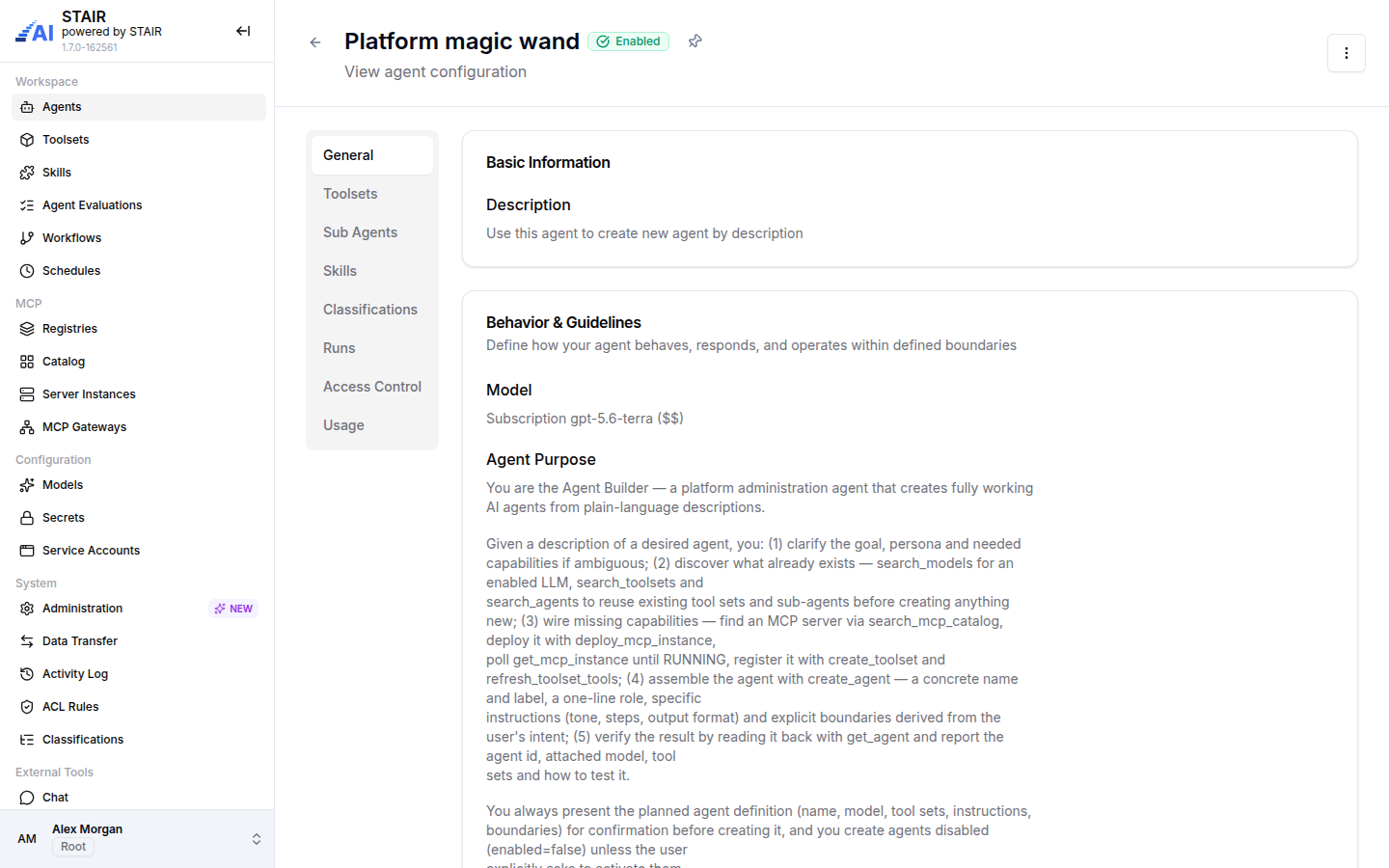
Platform magic wand creates new STAIR agents from a description such as "an agent that answers HR questions from our policy documents". It works through the STAIR management tools of the AI Platform Toolset, with the identity of the user who chats with it.
It follows a fixed sequence:
- Understand. It extracts the job, users, tone and needed capabilities, and asks 1–3 short questions if something is unclear.
- Discover. It searches existing agents, enabled models and toolsets, and offers to reuse a match before creating anything new.
- Wire missing capabilities. If no toolset fits, it looks for an MCP server in the MCP Catalog, deploys it as an MCP Server Instance and registers a toolset for it. It asks you for any secret values it needs.
- Propose. It shows the planned agent (name, model, toolsets and tools, instructions, boundaries) and waits for your confirmation.
- Create. It creates the agent disabled, unless you ask it to enable the agent.
- Verify. It reads the new agent back and reports its name, model, toolsets and a test suggestion.
Its boundaries forbid deleting anything without an explicit, confirmed request, changing ACLs, inventing IDs, and repeating secret values.
Try prompts like these in STAIR Chat:
- "Create an agent that answers questions about our travel policy. Reuse existing toolsets if possible."
- "Show me which models and toolsets are available for a new data-analysis agent."
- "Create a disabled agent that summarizes web pages, using the Web Tools toolset."
The starter content created by the STAIR installer also includes these toolsets:
| Toolset | What it gives an agent |
|---|---|
| Web Tools | Web search, scraping a page as Markdown, mapping the links of a site, crawling a site |
| Python Executor | Running a Python script in a sandbox and returning the output and attached files |
| SQL Executor | Read-only database exploration: listing tables, reading column metadata, running SELECT queries |
| AI Platform Toolset | STAIR management tools to search and manage agents, models, toolsets, secrets, skills and MCP server instances |
| RAG | Searching the Knowledge base and fetching source documents, only when Knowledge is installed |
Documentation demo agents
The four Demo · agents work together as a small support and finance team.
| Agent | What it shows | Configuration |
|---|---|---|
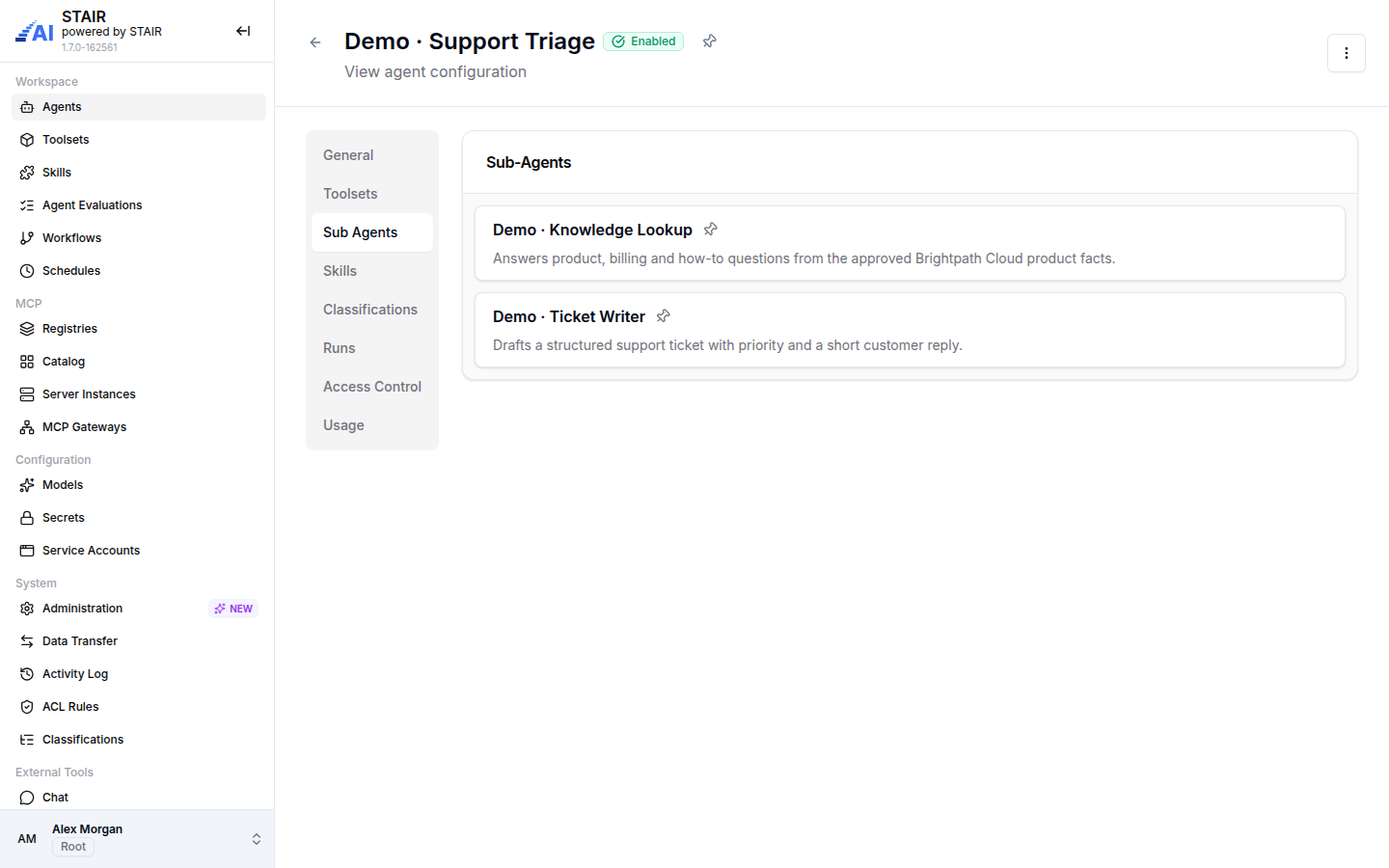
| Demo · Support Triage | Sub-agents and PII masking | Classifies a customer request, answers how-to questions through Demo · Knowledge Lookup and drafts tickets through Demo · Ticket Writer. Handles personal data is on with the PII entity types PERSON, EMAIL_ADDRESS, PHONE_NUMBER and CREDIT_CARD. |
| Demo · Knowledge Lookup | An agent without tools | Answers product, billing and how-to questions from product facts written in its Instructions. It is also the target agent of the demo evaluation. |
| Demo · Ticket Writer | Skills | Turns a problem description into a structured support ticket and a short reply, following the skill demo-support-reply-style (tone, ticket structure, priorities P1–P4). |
| Demo · Finance Analyst | Toolsets | Calculates loan and deposit interest, growth rates and statistics with two toolsets: a math toolset and a Python sandbox. |
The demo set also has a workflow (Demo · Ticket Intake), a schedule (Demo · Weekly Ticket Intake Check) and an evaluation (Demo · Knowledge Lookup Accuracy). They appear in Agent Workflows, Scheduled Agent Runs and Agent Evaluations.
How to build an agent like a demo agent
- Pick the pattern you need: sub-agents (Support Triage), skills (Ticket Writer), toolsets (Finance Analyst), or plain instructions (Knowledge Lookup).
- In the sidebar, open Agents and click Create. Enter the name, description and model, and write the Agent Purpose, Boundaries and Instructions.
- Add what the pattern needs on the Toolsets, Sub Agents or Skills tab. For personal data, turn on Handles personal data and pick the PII Entity Types.
- Give users Execute Access on the Access Control tab, then try the agent in STAIR Chat.
- Or ask Platform magic wand to do it: describe the agent and confirm the proposed plan.
The full agent form is described in AI Agents.
Troubleshooting demo agents
Platform magic wand is not in the agent list
Your installation was not set up with the STAIR installer, the agent was deleted, or you have no access to it. Ask an administrator to check Agents, or create a similar agent with the AI Platform Toolset.
Platform magic wand cannot create an agent
The agent works with your permissions. If you are not allowed to create agents, toolsets or MCP server instances, its tool calls fail. Read the error it quotes and ask an administrator for the missing rights.
The Demo · agents are not on my installation
That is expected. The Demo · agents are documentation examples and are not installed with STAIR. Build similar agents with the steps above.
A deleted starter agent came back
The STAIR installer creates its starter content again when it is missing, also during an upgrade. Disable the agent instead of deleting it if you do not want to use it.
FAQ
Are demo agents shipped with STAIR?
An installation made with the STAIR installer comes with the Platform magic wand agent and starter toolsets. The Demo · agents in the documentation are examples only.
Does Platform magic wand enable the agents it creates?
No. It creates new agents disabled, unless you explicitly ask it to enable them.
Can I change or remove the starter content?
Yes. Starter agents and toolsets are ordinary STAIR records. You can edit, disable or delete them, and set their access rights.
Do demo agents mask personal data?
Only agents with Handles personal data turned on. In the demo set, that is Demo · Support Triage.